17. File permissions
Real Time Operating Systems (RTOS) •
Authorization: Protection in Filesystems
DAC: Discretionary Access Control
- Organizing principle:
- Allows file owners to control access
- i.e., owners say who gets access to files and directories
- Major implementations:
- Unix permissions
- Access Control lists (ACLs)
Unix Permissions
- Users:
- Identified by a numeric user ID
- User-readable names in
/etc/passwd*
- Groups:
- Numeric group ID with names in
/etc/group - Users can be members of multiple groups
- Numeric group ID with names in
Querying user, group ID
Functions like and retrieve the current user’s ID or group ID.
#include <unistd.h>

uid_t	getuid(void);	# Get current user's ID
uid_t	geteuid(void);	# Get effective user ID (user permissions for file access)
gid_t	getgid(void);	# Get current user's group ID
gid_t	getegid(void);	# Get effective group ID (group permissions for file access)
Unix File Permissions
[jon website]$ ls
drwxr-xr-x   4 jon  jon     8B Mar 26  2017 assets
-rw-r--r--   1 jon  jon   948B Jan 26 15:37 config.yaml
drwxr-xr-x   8 jon  jon    10B Feb 13 23:19 content
-rwxr-xr-x   1 jon  jon   271B Jan 13  2017 deploy
drwxr-xr-x   7 jon  jon     9B Jan 22 23:14 layouts
drwxr-xr-x 12 jon jon 13B Jan 24 16:18 static- Read, Write, Execute: Each file has these permissions for each owner, group, and other users
- Setting Permissions: File owner can can set permissions with
[f]chmod(2)
Changing File Permissions
- File Mode: Expressed as an OR’ed bitmask of
S_IRUSR,S_IWGRP, etc.- e.g., for Octal,
0644(writable by owner, readable by anyone) - Can also be set with
chmod(1)
- e.g., for Octal,
Changing File Group
- Restrict access to specific set of users
- Change which groups has access to a file with
chgrp(1)orchgrp(2) - Change group’s permissions with
chmod(1)orchmod(2)
Changing File Owner
- File ownerhsip can be modified using
chown(1)orchown(2) - But, permission issues may arise:
$ chown alice foo.txt
chown: foo.txt: Operation not permitted
Superuser
- Also known as
rootuser with UID 0 - Has extensive privileges to change file ownership and permissions
- Can also mount filesystems, configure devices, load kernel modules, etc., via system calls (still user mode!)
Root-only Programs
- Many tools require root privileges for tasks like…
- filesystem management
- package management
- service control
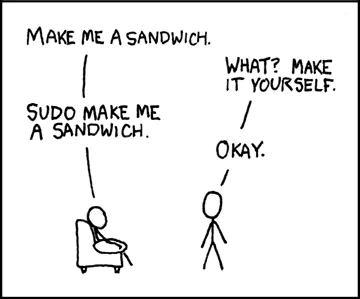
- often via
sudo(8)sudostands for Super User DO
 {width=200px}
- Some programs require
rootprivilege to run - Others must be executable by any user
- Some are both!
- e.g.,
login(1),ping(8), and evenintel_backlight(1)
ACLs: Access Control Lists
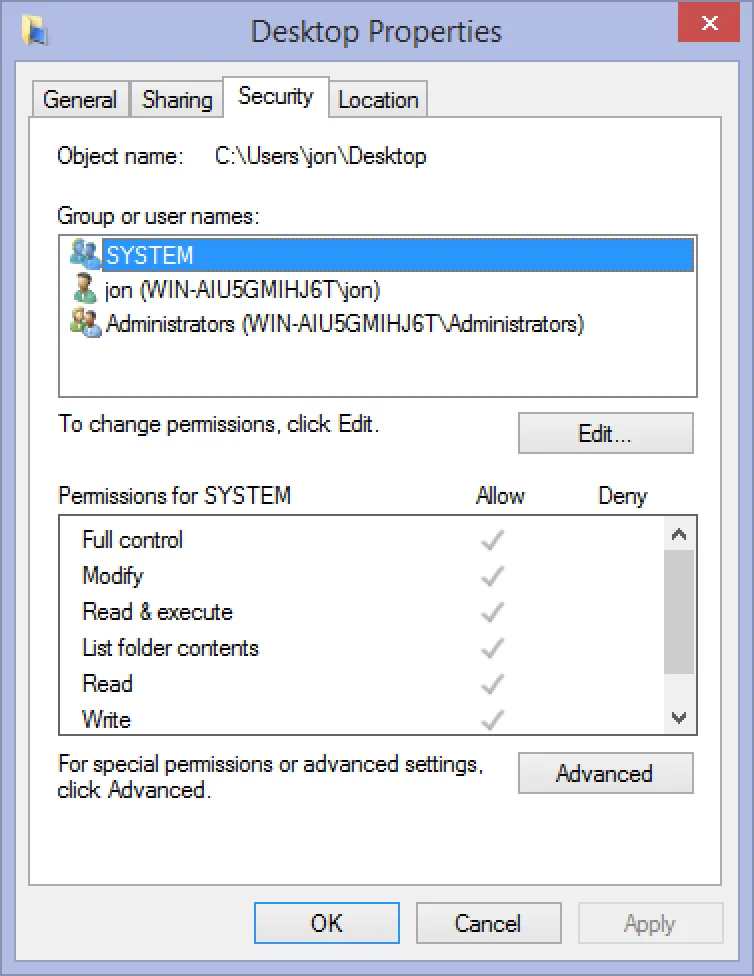
- Alternative to discretionary access control
- Provides explicit list of users and groups with independent permissions for each.
- Used for complex authorization on multi-user shared systems
- Implemented in NFSv4, POSIX 1e, Windows/SMB, etc.
 {width=300px}
MAC: Mandatory Access Control
- Organizing principle:
- Sys admins define and enforce access policies
- file owners cannot control or override these policies
- Major implementations:
- Used when users cannot be fully trusted
- Provides higher level of security by restricting access based on predefined rules
MAC Examples
- Early motivation: Processes reading Top Secret data cannot write to Secret files
- Later motivation: Processes reading low-integrity data cannot write to (e.g., network input) high-integrity files (e.g., sysconfig)
- Later Application: Process belonging to one application cannot read or write files belonging to another application
Capabilities
- Third, orthogonal access control method
- Unforgeable tokens of authority that convey specific authorities regarding specific objects
- Not permissions or entitlements…
- …rather, a means of expressing the principle of least authority
- Modifiable with monotonic reduction
- Language-level Example: Java references
- System Example: File descriptors
- references are unforgeable
- refer to specific objects
- NOT alterable with monotonic reduction
- DO NOT convey specific authorities (see
fchmod(2))